
SAT Score Calculator: How It Works and How to Use One
October 19, 2026 · 12 min read
A perfect 1600 on the current SAT is the 99th-plus percentile among SAT users, which is why a good SAT score calculator shouldn't stop at arithmetic, it has to explain standing, context, and uncertainty too. College Board's score framework treats the total as the sum of Reading and Writing plus Math, and the percentile rank shows how a score compares with a defined reference group, not just the maximum possible number (College Board scores and percentiles).
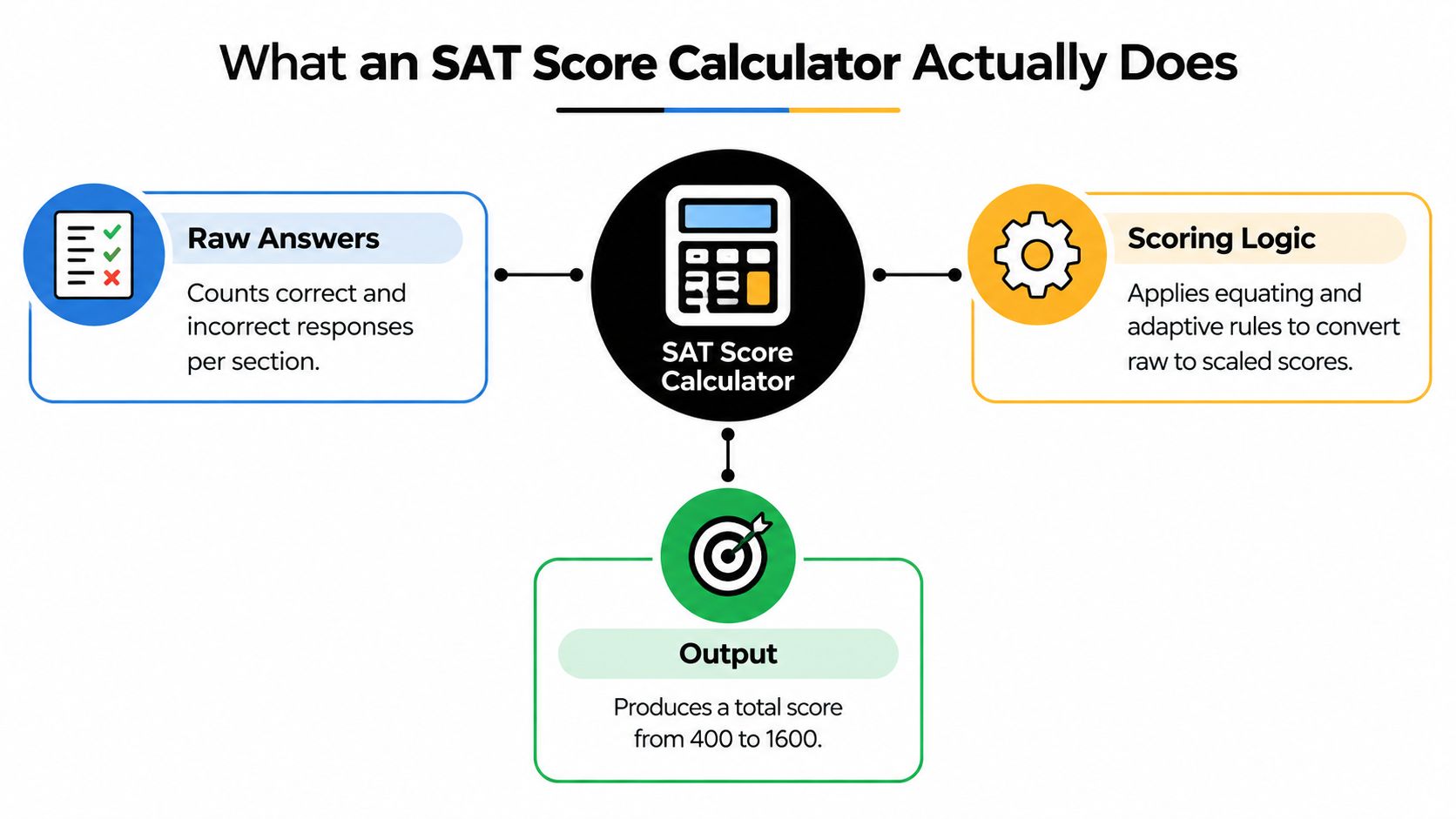
Table of Contents
- What an SAT Score Calculator Actually Does
- How Digital SAT Scoring Actually Works
- Calculating a Score Step by Step
- How Makon AI Can Help
- Reading a Sample Conversion Table
- Why Precise Numbers Can Mislead You
- Don't Skip the Calculator Policy Check
- Turning a Score Estimate Into a Plan
What an SAT Score Calculator Actually Does
A useful SAT score calculator interprets a result rather than adding answers. It checks that each section falls within the permitted 200 to 800 range, combines Reading and Writing with Math for a 400 to 1600 total, and places that total in a percentile context (College Board scores and percentiles).
For example, a 1200 made up of 600 Reading and Writing + 600 Math suggests balanced preparation. A 700 + 500 split points to Math as the priority for retake planning, even though both students share the same composite. The section breakdown helps turn a score into a practical study decision.
Practical rule: use the calculator as an interpretation layer, not a score printer.
The four jobs a good calculator should do
- Check inputs: confirm that Reading and Writing and Math scores are in range.
- Compute the total: add both section scores into one composite.
- Explain standing: connect the result with an official percentile category.
- Identify the estimate: show whether the result comes from an adaptive-aware model, an official concordance, or a rough raw-score shortcut.
The source label matters. A raw-answer tool may offer only an estimate, while another calculator may account for section structure, adaptive routing, or historical scoring. Students comparing tools through SAT score calculator resources should check what each estimate represents before treating its output as an official score.
How Digital SAT Scoring Actually Works
The digital SAT doesn't score like a simple percent-correct quiz. College Board says the total is the sum of the two section scores, and that IRT-based scoring depends on answer patterns and item difficulty, so two students with the same number of correct answers can end up with different section scores (College Board understanding scores PDF).
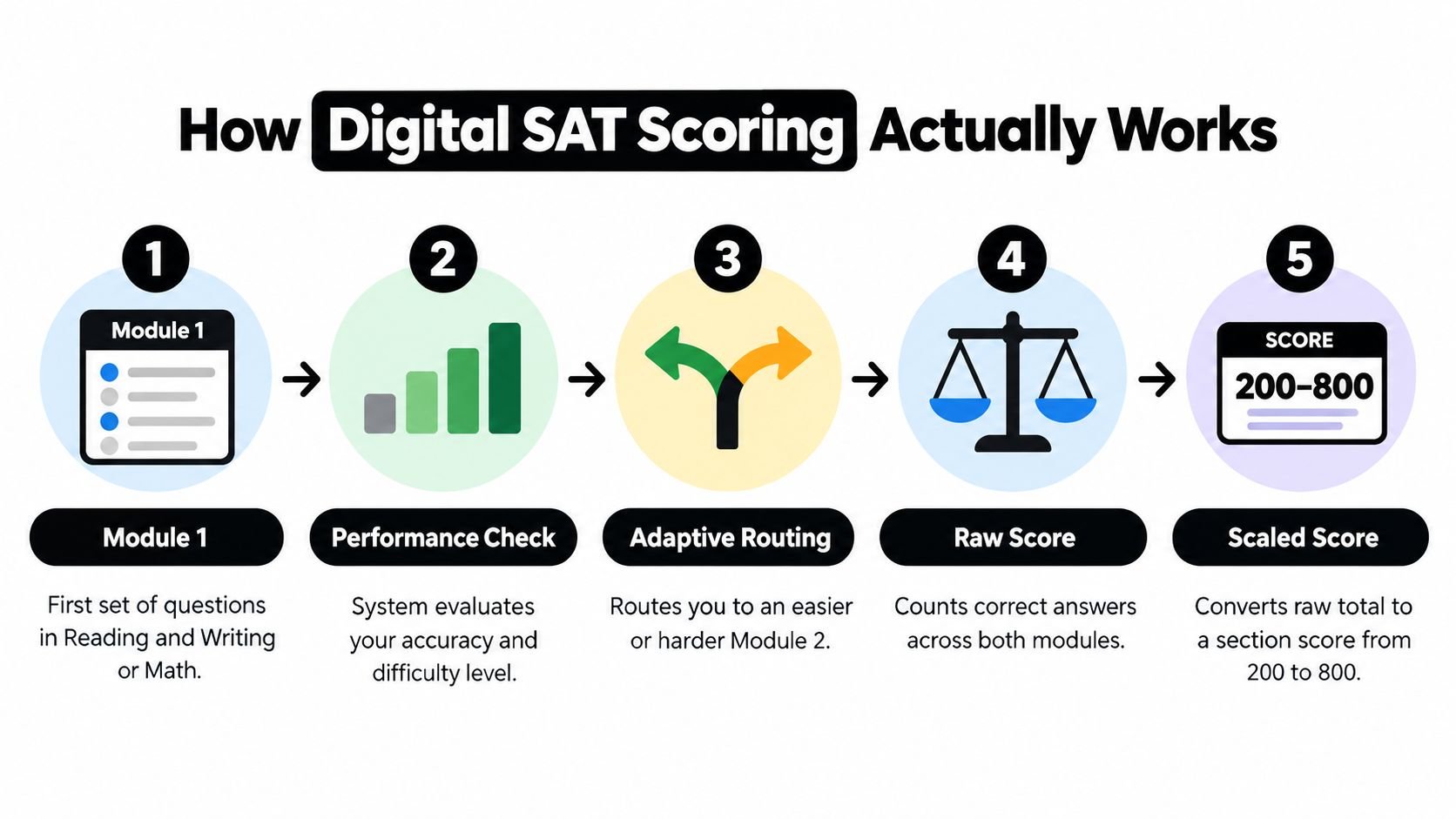
The reason is the test's multistage adaptive design. Each section has two modules, and the second module can be easier or harder depending on how the first module went. That means raw-correct counts are only a starting point, not a final answer.
Why the same raw total can lead to different results
If two students miss the same number of questions but face different second-module difficulty, they may not land on the same scaled score. That's why any calculator that says “one missed question always equals X points” is oversimplifying the system.
A better way to think about it is this:
- You answer questions in Module 1.
- The test routes you to a second module based on performance.
- The scoring process weighs the pattern of answers, not just the count.
- The section becomes a scaled score from 200 to 800.
- The two sections are added for the final total.
The higher the score goal, the more dangerous false precision becomes. A neat-looking single number can hide the fact that adaptive routing changed the whole scoring path.
For a visual walkthrough of adaptive digital scoring, the embedded explanation below helps tie the routing logic to the final section score.
Calculating a Score Step by Step
A useful SAT score calculator separates the two section estimates before combining them. Keep Reading and Writing apart from Math, because each section receives its own score before the total is calculated.

Start with the practice-test record:
- Count correct and incorrect answers separately: record Reading and Writing independently from Math.
- Record the module path: note whether the test used an easier or harder second module.
- Check the conversion method: prefer a disclosed practice-test concordance over an unexplained formula.
- Estimate both section scores: place each result on the 200 to 800 scale.
- Combine the estimates: add the two section scores for the composite.
The module path belongs in your notes because the same number of correct answers can produce different estimates when students receive different second modules. A calculator that assigns one fixed point value to every missed question hides that uncertainty.
You can test this workflow through browser-based tools listed in the internal Allinone.tools directory. Treat the result as an estimate, not an official score.
For example, a student who projects 620 in Reading and Writing and 640 in Math gets an estimated total of 1260. That number helps with planning, but its percentile gives better context. A composite is like a temperature reading: useful on its own, yet more informative when you know how it compares with the wider group.
Check the label beneath the percentile chart. If it says User Group, compare the result with fellow test-takers in that group. If it says Nationally Representative, use it for broader college-list context. The choice changes the comparison, not the underlying score.
Rule of thumb: a sound estimate shows both the result and the assumptions behind it.
The Allinone.tools suggestions can help you compare simple calculator workflows when you want a focused utility rather than a crowded dashboard.
How Makon AI Can Help
A score calculator is helpful when it turns raw answers into a score estimate, but students usually need more than that. They need a place to turn the estimate into a study plan, practice routine, and retake strategy, which is where Makon AI fits as a broader preparation platform rather than a standalone converter.

Makon AI combines an adaptive study planner, a large practice library, realistic mock tests, detailed analytics, and an AI tutor for SAT, ACT, and AP prep. It also offers score-trend tracking, weak-topic analysis, saved-question review, and a public guide library, which makes it more useful when you're trying to move from an estimate to a concrete next step.
For students who want a calculator that sits inside a larger prep system, the SAT score calculator on Makon AI can be a practical starting point. The value isn't just the number, it's the way that number connects to drills, analytics, and follow-up practice.
That said, a broader platform isn't always necessary. If you only need a quick estimate from a practice test, a lighter tool may be enough. If you want pacing feedback, topic-level review, and a plan for what to study next, Makon AI is the stronger fit.
Reading a Sample Conversion Table
A conversion table is easiest to trust when it's clearly framed as a reference, not an official lookup. The same raw score can land differently depending on the assumed adaptive path, so any row should be read as a planning midpoint rather than a promise.
Illustrative raw-correct to scaled-score reference
| Raw correct (R&W) | Projected R&W (easier path) | Projected R&W (harder path) | Raw correct (Math) | Projected Math (easier path) | Projected Math (harder path) |
|---|---|---|---|---|---|
| 10 | Lower band | Higher band | 10 | Lower band | Higher band |
| 15 | Lower band | Higher band | 15 | Lower band | Higher band |
| 20 | Lower band | Higher band | 20 | Lower band | Higher band |
| 25 | Lower band | Higher band | 25 | Lower band | Higher band |
The point of a table like this is not to pretend raw scores are exact predictors. The point is to show that module assumptions matter, and that a calculator should make those assumptions visible instead of hiding them behind polished formatting.
When you read any conversion table, use three checks. First, identify the source. Second, find the assumed module path. Third, treat each row as a banded estimate, not a guaranteed score.
A lot of students want the table to behave like a scoring key. It doesn't. On the digital SAT, the same number of correct answers can still flow into different scaled outcomes because the test is adaptive and the scoring is not a fixed points-per-question system.
Why Precise Numbers Can Mislead You
A calculator can turn one practice result into a polished number, but that precision may exceed what the estimate supports. On an adaptive SAT, two students with the same number of correct answers can receive different scaled scores because their module paths and question difficulties differ. A range makes those assumptions visible.
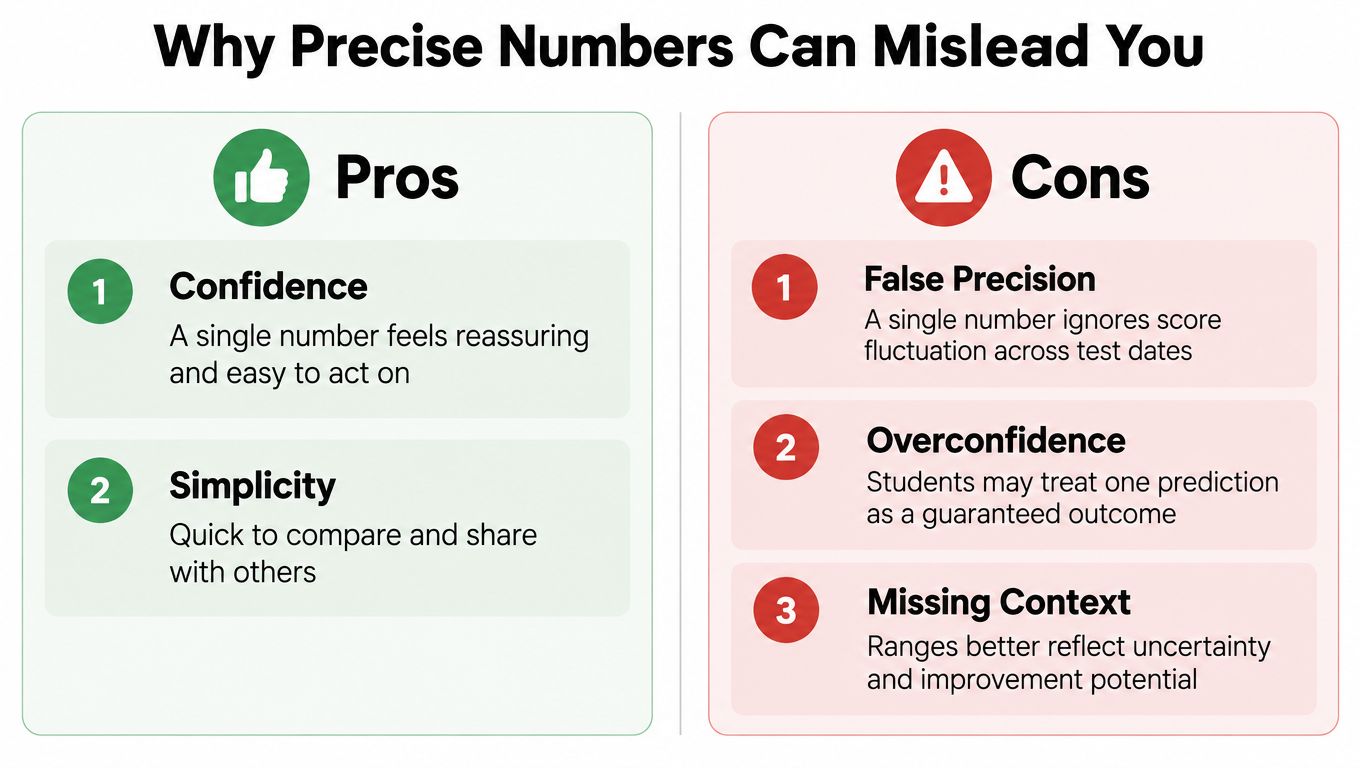
Use a precise result as a reference point, not a promise. One practice test may reflect an unusually strong or weak day, and third-party calculators can produce different outputs because they rely on different conversion tables. A score band leaves room for those sources of variation.
Percentile rank needs the same careful reading. It describes how a score compares with a particular reference group, so it is useful for context but not a permanent property of the score. For planning, ask whether your position among comparable test takers is improving, rather than focusing only on the composite number.
College Board reports Reading and Writing and Math as separate section scores before combining them into a total, as explained in its College Board understanding scores PDF. A display such as “likely range” or “planning estimate,” paired with the source and assumed path, is more honest than an unsupported single-point prediction.
If a calculator looks more exact than the scoring model allows, treat that exactness as a warning.
Don't Skip the Calculator Policy Check
A score estimate cannot prepare you for a device rule. On the digital SAT, calculators are permitted throughout Math, but only non-CAS calculators are allowed. Devices with CAS functions, wireless connectivity, cameras, or communication capabilities may be prohibited, according to the College Board calculator policy.
Choose your test-day tool before practice becomes a habit. You can use Bluebook's Desmos calculator or a permitted handheld device. If you bring a handheld, check that it has no CAS functions. Phones, calculator apps, and connected hardware are not suitable substitutes.
Use the exact setup during timed practice. This helps you learn where its functions are and prevents a new interface from slowing you down on test day. It also keeps equipment questions separate from score interpretation, since a calculator estimate remains an estimate rather than an official result.
A short check is enough:
- Confirm whether you will use Desmos or a handheld calculator.
- Review the handheld's features, including any CAS capability.
- Remove phones and connected devices from your plan.
- Practise with the same setup under timed conditions.
An allowed calculator supports preparation. A prohibited device can create a larger problem than an imperfect score estimate, so verify the equipment before refining the number.
Turning a Score Estimate Into a Plan
The best use of an SAT score calculator starts after the number appears. Because Reading and Writing and Math are scored separately, two students with the same composite can still have very different improvement paths, and a weaker section often deserves targeted practice instead of more full-test repetition.
The smartest move is to turn the estimate into scenarios. If one section rose by a small amount, what would the new composite look like? If your Math score is lagging, what happens when that section catches up? These are planning simulations, not admissions guarantees, but they make your next study decision clearer.
One simple way to think about it is this: the calculator should answer “What now?” not just “What score?”
A practical planning checklist
- Verify the scoring assumptions: know whether the estimate came from raw answers, a practice-test table, or an adaptive-aware model.
- Use a range when possible: bands are more honest than point predictions.
- Check the right percentile group: nationally representative and user-group comparisons are not interchangeable.
- Confirm calculator policy before test day: avoid device surprises.
- Convert the number into action: assign the next set of drills to the weaker section first.
For students who want to move from score estimate to study system, the internal guide hub at Allinone.tools blog is a useful place to compare tool ideas and prep workflows without getting locked into a single calculator-only mindset.
A great SAT score calculator doesn't pretend to be the official score. It helps you read your result, understand the uncertainty, and decide what to do next. If you're comparing tools, pick one that shows its assumptions, separates section scores, and turns the composite into a real study plan.